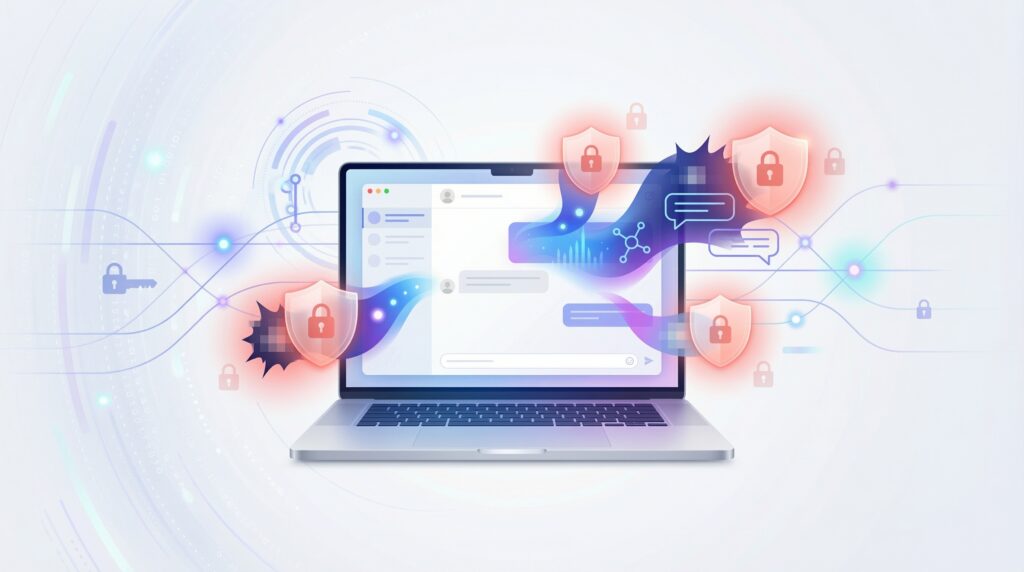
Avoid These 10 Risky AI Inputs: A U.S. User’s Guide to Safe ChatGPT Use
You’re probably using AI chatbots like ChatGPT more than ever—for work projects, creative writing, homework help, or just quick answers to everyday questions. But here’s something most people don’t realize: what you type into AI tools matters more than you think. Certain inputs can compromise your privacy, expose you to security risks, or even land you in legal hot water.
As AI technology becomes deeply integrated into American workplaces, schools, and homes, understanding safe AI practices isn’t just recommended—it’s essential. This comprehensive guide will walk you through the 10 most risky AI inputs you should avoid and show you how to use ChatGPT and similar AI tools safely and responsibly.
Why AI Input Safety Matters in 2025
Before diving into specific risks, let’s talk about why this matters to you. According to recent studies, over 60% of American professionals now use AI tools regularly, but fewer than 30% have received formal training on AI safety. That gap creates serious vulnerabilities.
When you input sensitive information into AI systems, you’re essentially sharing it with technology that processes, stores, and learns from data. While reputable AI companies implement security measures, no system is 100% foolproof. Plus, how these companies use your data varies, and understanding these risks helps you make informed decisions.
1. Your Personal Identification Information
The Risk: Never input your Social Security number, driver’s license number, passport details, or other government-issued ID information into ChatGPT or any AI chatbot.
Think about it this way: would you write your Social Security number on a public bulletin board? That’s essentially what you’re doing when you share personal identification data with AI systems. Even if you’re using AI to help fill out forms or organize personal documents, type placeholder text instead of real numbers.
What to Do Instead: If you need help with document formatting or understanding forms, use examples like “123-45-6789” or “XXX-XX-1234” rather than your actual information. Most AI tools can provide equally helpful guidance without your real data.
2. Financial Account Details and Payment Information
The Risk: Your bank account numbers, credit card details, PINs, online banking passwords, or cryptocurrency wallet keys should never appear in AI conversations.
Many Americans have made the mistake of asking ChatGPT to help track expenses by pasting bank statements, or requesting help with financial calculations using actual account numbers. This creates unnecessary vulnerability to data breaches and potential financial fraud.
Smart Alternative: Use generic examples or masked numbers. Instead of “my Bank of America account 987654321,” say “my checking account ending in 4321.” The AI will still understand your question and provide helpful answers without exposing sensitive financial data.
3. Protected Health Information (PHI)
The Risk: Under HIPAA regulations, your detailed medical records, diagnoses, prescription information, and healthcare provider details are protected data. Sharing these specifics with AI can violate privacy regulations and expose personal health information.
While it’s tempting to ask ChatGPT about symptoms or medication interactions, including your full medical history, specific test results, or doctor’s names creates privacy concerns. Remember, AI cannot provide medical diagnosis or replace professional healthcare advice anyway.
Better Approach: Speak in general terms. Instead of “I take Metformin 500mg twice daily for my diabetes and my doctor is Dr. Smith at Mayo Clinic,” try “someone with type 2 diabetes taking standard medication.” You’ll get useful general information without compromising your privacy.
4. Proprietary Business Information and Trade Secrets
The Risk: If you work for a company, inputting confidential business strategies, unreleased product details, client lists, or proprietary code can breach your employment agreement and potentially violate trade secret laws.
This is especially critical for Americans working in competitive industries. A 2024 survey found that 23% of employees had accidentally shared confidential company information with AI tools, sometimes resulting in termination or legal action.
Professional Practice: Always check your company’s AI usage policy first. When seeking help with work projects, anonymize data, use hypothetical scenarios, and never copy-paste from confidential documents. Your career isn’t worth the convenience.
5. Other People’s Private Information
The Risk: Just because it’s not your information doesn’t mean it’s safe to share. Inputting someone else’s email address, phone number, home address, or personal details without consent violates their privacy and could breach data protection regulations.
Think twice before asking AI to help you draft an email and including your colleague’s personal contact information, or requesting help organizing a spreadsheet that contains your neighbors’ details. In the U.S., various state privacy laws increasingly protect personal data, and unauthorized sharing can have consequences.
Respectful Alternative: Use pseudonyms or generic placeholders like “Person A” or “colleague@company.com.” If you absolutely need context about real people, ask for permission first or ensure the information is already publicly available.
6. Login Credentials and Access Codes
The Risk: Passwords, security questions, two-factor authentication codes, API keys, and access tokens should never be shared with AI systems—ever.
It might seem convenient to ask ChatGPT to help you organize passwords or generate secure login credentials while providing your current ones for context. Don’t do it. Even if you trust the AI company’s security, you’re creating an unnecessary digital footprint of your access credentials.
Security-First Method: Use dedicated password managers like 1Password, LastPass, or Bitwarden instead. If you need AI assistance with password-related tasks, discuss concepts and strategies without revealing actual credentials.
7. Illegal Activity Plans or Harmful Content Requests
The Risk: Requesting help with illegal activities, creating malicious software, generating harmful content, or circumventing security measures is not only against AI usage policies—it could be illegal.
Some Americans have naively asked AI for help with questionable activities, not realizing these conversations could be flagged, stored, or even reported to authorities in extreme cases. Beyond legal risks, you’re wasting time because responsible AI systems are designed to refuse these requests anyway.
Stay Legal: Use AI for legitimate purposes only. If you have genuine questions about legal boundaries, consult with a qualified attorney, not an AI chatbot.
8. Copyrighted Material and Plagiarism Attempts
The Risk: Asking AI to reproduce copyrighted text, create work you’ll pass off as your own, or help you circumvent academic integrity policies can result in legal issues and academic consequences.
U.S. copyright law is strict, and many schools now use AI detection software. In 2024, several high-profile cases involved students facing expulsion for AI-assisted cheating, and creators faced legal action for copyright violations involving AI-generated content.
Ethical Usage: Use AI as a learning aid, brainstorming partner, or research assistant—not as a ghost writer or copy machine. Always properly cite AI assistance when required, and never submit AI-generated work as your own original creation without significant human input and disclosure.
9. Minors’ Personal Information
The Risk: Information about children under 13 is protected under COPPA (Children’s Online Privacy Protection Act) in the United States. Sharing detailed information about minors—including names, ages, locations, schools, or photos—creates serious privacy and safety concerns.
Even well-meaning parents asking for parenting advice should be cautious. “My 8-year-old daughter Emma who attends Lincoln Elementary in Seattle” reveals far too much identifiable information.
Protective Practice: Keep children’s information anonymous. Instead, use general terms: “my elementary-age child” or “a young student.” This protects their digital privacy while still allowing you to get helpful advice.
10. Emotionally Manipulative or Dependency-Creating Patterns
The Risk: This one’s different—it’s about psychological safety rather than data security. Becoming overly dependent on AI for emotional support, treating it as a substitute for human relationships, or using it to validate harmful behaviors creates mental health risks.
While AI can be helpful for brainstorming or working through thoughts, it’s not a therapist, friend, or replacement for genuine human connection. Some Americans have developed unhealthy relationships with AI chatbots, leading to social isolation or delayed professional mental health treatment.
Healthy Boundaries: Use AI as a tool, not a companion. For serious emotional struggles, mental health concerns, or life decisions, consult with licensed professionals, trusted friends, or family members. AI should supplement—never replace—real human support systems.
Creating Your Personal AI Safety Checklist
Now that you know what to avoid, here’s a simple checklist to review before each AI interaction:
- Does this input contain personal identification numbers or sensitive documents?
- Would I be comfortable with this information on a public forum?
- Am I sharing someone else’s private data without permission?
- Could this violate my workplace confidentiality agreement?
- Is this request legal and ethical?
- Am I using AI appropriately as a tool rather than a replacement for professional advice?
If you answer “yes” to any red flag question or “no” to appropriate usage questions, reconsider your input.
The Bottom Line: Smart AI Use for Americans
AI tools like ChatGPT offer incredible benefits—enhanced productivity, creative assistance, learning support, and instant information access. But like any powerful tool, they require responsible use. By avoiding these 10 risky input categories, you protect yourself, your family, your employer, and others while still enjoying everything AI technology offers.
Remember: AI safety isn’t about fear or avoidance—it’s about informed, intelligent use. The technology will only become more integrated into American life, so developing good habits now sets you up for success in an AI-powered future.
Take a moment today to review your past AI conversations. Are there inputs you should avoid moving forward? Implementing these safety practices now will save you from potential headaches, privacy violations, or worse down the road.
Stay safe, stay smart, and use AI wisely. Your digital security is worth the extra mindfulness.