
Discover powerful, zero-cost AI tools that automate workflows, boost productivity, and help your business scale in 2025—without subscriptions or surprises.
Let’s be honest—when someone says “free AI tool,” you’re probably expecting either a stripped-down version with barely any features or a sneaky trial that hits you with a paywall after three days. I get it. I’ve been burned by those “free” offers too.
But what if I told you there are genuinely powerful AI tools that won’t cost you a single penny? Not now, not ever. And no, I’m not talking about limited trials or watered-down versions. These are full-featured tools that businesses are actually using right now to save hours every single day.
After testing dozens of AI tools over the past year, I’ve narrowed down the absolute best free options that deliver real value. Whether you’re a solopreneur, content creator, or running a growing business, these tools will help you work smarter, not harder.
Let’s dive in.
1. Google Workspace Studio: Your AI Workflow Command Center
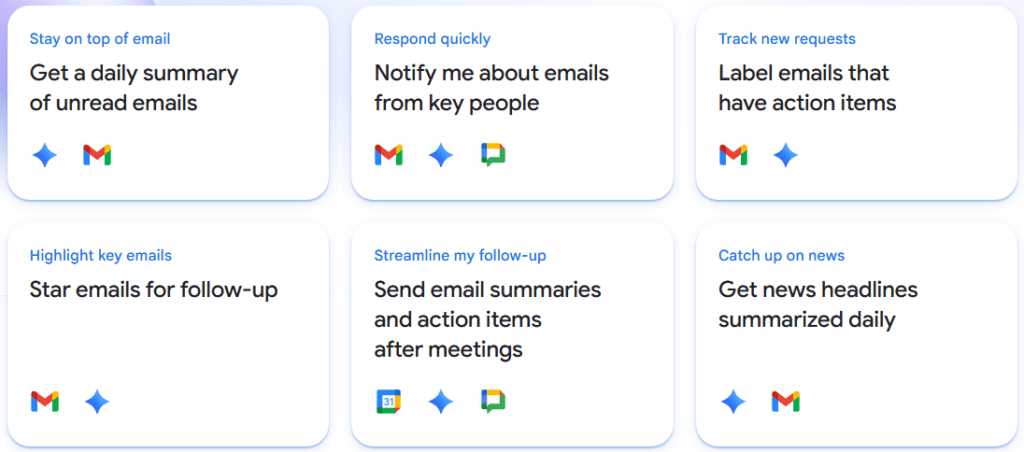
If you’re using Gmail, Google Calendar, or Google Drive (and let’s face it, who isn’t?), you need to know about Google Workspace Studio. Launched in December 2025, this tool is Google’s answer to workflow automation, and it’s a game-changer.
What it does: Connects all your Google apps and creates automated workflows powered by Gemini AI. Think of it as having a digital assistant that actually understands how your tools work together.
Why you’ll love it: You can set up workflows like “get a daily summary of unread emails” or “draft replies to customer inquiries in three clicks.” The interface is intuitive—they call triggers “starters,” which honestly makes more sense anyway.
Real-world use case: Imagine having your AI assistant scan your emails, draft responses based on your writing style, and notify you in Google Chat when something urgent needs your attention. That’s not science fiction—that’s what you can build right now, for free.
The catch: You need a Google Workspace account, but if you’re already using Gmail, you’re good to go.
2. Pomelli: Turn Your Website Into a Social Media Machine
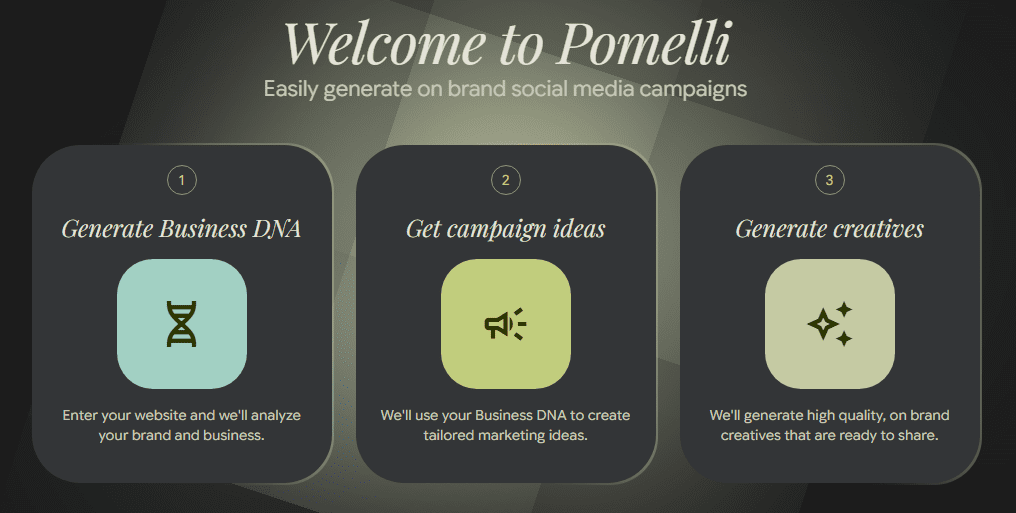
Creating consistent, on-brand social media content is exhausting. Trust me, I know. That’s why Pomelli (part of Google Labs) feels like finding money in your winter coat pocket.
What it does: Analyzes your website and generates complete social media campaigns that actually match your brand.
Why you’ll love it: Just paste your URL, wait about 40 seconds, and boom—you’ve got campaign ideas with branded graphics. You can customize everything: add text, call-to-actions, adjust dimensions, and swap images.
Real-world use case: Need to promote a new product launch? Pomelli will create four different post variations with your exact brand colors and voice. What used to take hours now takes 90 seconds.
Pro tip: Even though it might grab slightly outdated brand colors (as it did in my test), you can easily update everything to match your current branding.
3. Whisper Flow: Your New Favorite Keyboard Shortcut
Here’s something you probably do dozens of times a day: stop what you’re doing, open a document, and type out an idea before you forget it. Whisper Flow turns that entire process into a single keystroke.
What it does: Converts your voice to text instantly, anywhere on your computer. But here’s the magic—it cleans up your mistakes as you go.
Why you’ll love it: You can literally say “I’m showcasing, I’m showcasing Whisper Flow” and it’ll output “I’m showcasing Whisper Flow.” It removes your verbal stumbles, “ums,” and false starts automatically.
Real-world use case: Writing emails, drafting documents, brainstorming ideas—all without touching your keyboard. The free plan gives you 2,000 words per week on Mac or Windows, which is plenty for most people.
The numbers: I’ve been using the free version throughout 2025 and haven’t hit the weekly limit once.
4. Notebook LM: The Research Assistant You Didn’t Know You Needed
If there’s one tool on this list that feels genuinely ahead of its time, it’s Notebook LM. Google built this originally for writers doing book research, but it’s evolved into something much more powerful.
What it does: Aggregates all your research materials in one place and uses AI to make connections between them. It can search the web, pull from your Google Drive, and analyze everything together.
Why you’ll love it: Upload your research, and it’ll generate audio overviews, video summaries, mind maps, reports, infographics, and slide decks. Yes, all of that. From the same content.
Real-world use case: Writing a business proposal? Dump in your market research, competitor analysis, and internal documents. Notebook LM will find patterns you missed and create presentation-ready materials.
The verdict: This tool alone could justify hours of your time saved every week. And it’s completely free.

5. Granola: Because No One Actually Likes Taking Meeting Notes
Raise your hand if you’ve ever been in a meeting where you were so busy taking notes that you missed half the conversation. That ends with Granola.
What it does: Joins your Zoom calls, transcribes everything, and organizes notes exactly how you want them.
Why you’ll love it: The “recipes” feature lets you create custom workflows. Want a TLDR? One click. Need a follow-up email drafted? Done. Want to send notes to Notion automatically? Easy.
Real-world use case: After a client call, you can instantly share organized notes, action items, and even draft a follow-up email—all without manually typing a single word.
The only downside: Currently Mac-only. Windows users should check out Fathom, which also has a solid free plan.
6. Goblin Tools: When Your Brain Just Can’t Even
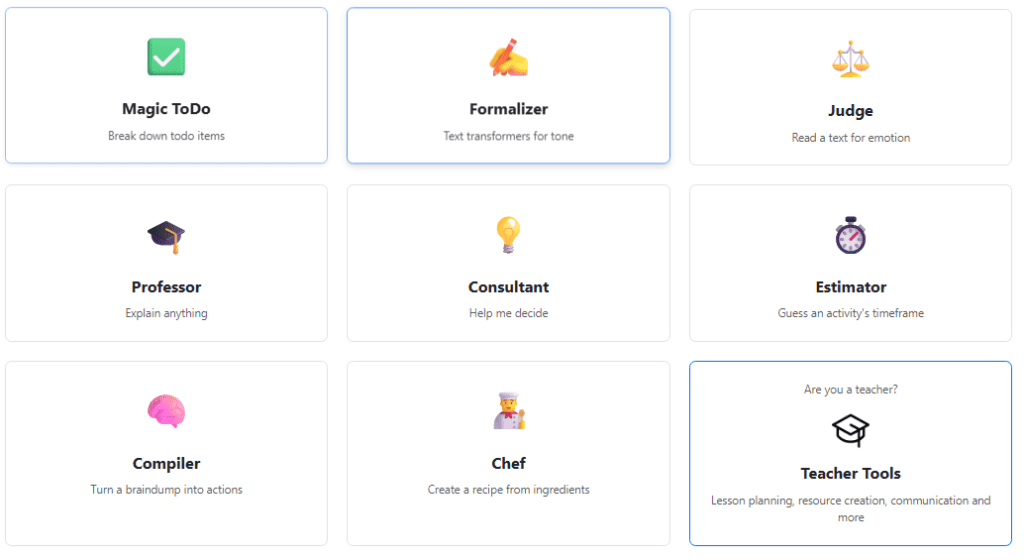
Sometimes the hardest part of a project isn’t doing it—it’s figuring out where to start. Goblin Tools gets that.
What it does: Breaks down overwhelming tasks into manageable steps. It’s designed with neurodivergent users in mind, but honestly, everyone benefits from this.
Why you’ll love it: Type “create a new live workshop for my email list” and watch it break that down into 10-15 specific, actionable steps. You can even estimate time for each task.
Real-world use case: Brain dump your entire project idea, messy thoughts and all, into the Compiler tool. It’ll transform your scattered thinking into a clean task list in seconds.
The simplicity factor: It’s not fancy, but sometimes simple is exactly what you need. And it’s 100% free.
7. MyMap.ai: See Your Workflows, Finally
You know what’s hard? Explaining a complex process to your team. You know what’s easy? Showing them a visual flowchart. That’s MyMap.ai in a nutshell.
What it does: Converts your ideas into flowcharts, mind maps, process diagrams, and presentations using AI.
Why you’ll love it: Describe your workflow in plain English, and within 10 seconds, you’ve got a visual diagram you can edit and share.
Real-world use case: Mapping out customer onboarding, content creation workflows, or product development processes. When you can see the whole system, you can spot inefficiencies immediately.
Upgrade consideration: The free plan is generous, but if process mapping becomes central to how you work, the $20/month paid version is worth it.
8. Napkin AI: Because Walls of Text Are Boring
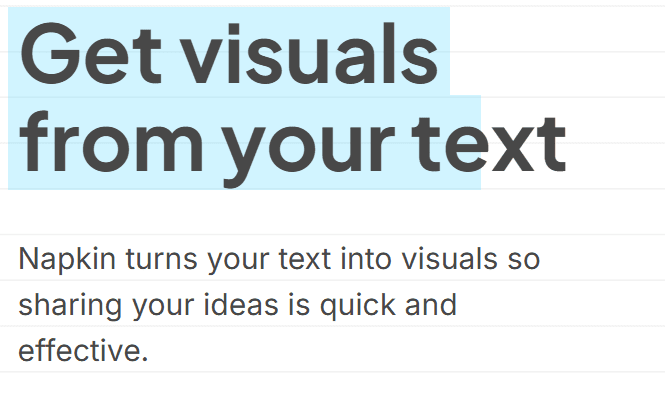
Dense, text-heavy content loses readers. Visual content keeps them engaged. Napkin AI bridges that gap effortlessly.
What it does: Transforms your text into professional-looking visuals in seconds.
Why you’ll love it: Highlight any section of text, click the lightning bolt, and get multiple visual options that represent your content. You can customize colors, fonts, and layouts.
Real-world use case: Creating presentation slides, social media graphics, or infographics for blog posts. What used to require a designer now takes 30 seconds.
The limitation: The graphic styles can feel repetitive after a while, but for quick visual content, it’s unbeatable. And yes, they kept their free-forever plan even after exiting beta.
9. Headline Studio: Stop Guessing, Start Testing
Writing headlines is an art and a science. Headline Studio gives you the science part.
What it does: Analyzes your headlines for YouTube titles, email subject lines, blog posts, and social media. Gives you a score and specific recommendations.
Why you’ll love it: Instead of wondering if your headline works, you get data. It shows you emotional impact, power words, and how it’ll display in Google search results.
Real-world use case: Before publishing anything, run your headline through this tool. A 67 score? Time to revise. An 85? You’re golden.
Affordable upgrade: Premium features (SEO score and AI chat) cost just $4/month for 10 credits. If headlines matter to your business, that’s a no-brainer investment.
10. N8N: For When You’re Ready to Go Pro
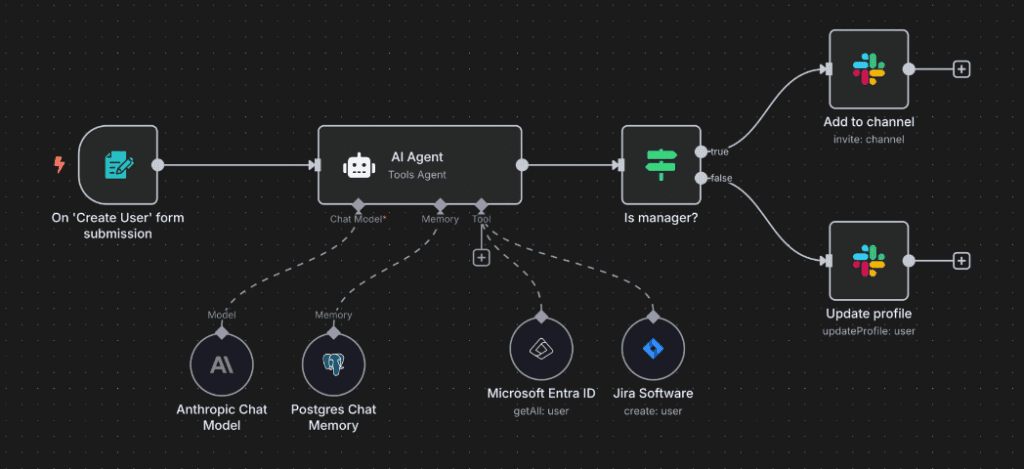
Full transparency: N8N is the most technical tool on this list. But if you’re ready to build serious automation workflows, nothing else compares.
What it does: Visual workflow builder that connects virtually any app, API, or AI agent you can imagine.
Why you’ll love it: Complete control and unlimited scalability. If you can dream it, you can probably build it in N8N.
Real-world use case: Complex multi-step automations like “when a customer fills out this form, add them to my CRM, send a welcome email, create a task in Asana, and notify my team in Slack.”
The learning curve: This requires some technical knowledge. If you’re a complete beginner, start with something simpler like Relay.app first, then graduate to N8N when you’re ready.
11. ChatHub: Test All the AI Models at Once
Different AI models have different strengths. ChatGPT excels at certain tasks, Claude at others, and Gemini at still others. But who has time to test them all separately?
What it does: Lets you compare outputs from multiple AI models simultaneously with a single prompt.
Why you’ll love it: See how GPT-4.5, Claude Sonnet 4.5, and Gemini 2.5 Pro respond to the same prompt, side by side. The Chrome extension makes this seamless.
Real-world use case: Writing marketing copy? Test which model gives you the best results. Coding problem? See which AI explains it most clearly.
Worth upgrading? At $19/month for the Pro version, absolutely—if you regularly use AI for work and want to find the best tool for each job.
12. Snipd: Make Podcasts Actually Useful
Podcasts are great, but let’s be real—a 90-minute episode isn’t always practical. Snipd solves this brilliantly.
What it does: AI-powered podcast app that gives you summaries, key insights, transcripts, and lets you save specific moments.
Why you’ll love it: Before investing an hour in an episode, read the AI summary and key takeaways. Found a golden nugget while listening? Create a “snip” and save it for later.
Real-world use case: Learning from business podcasts without dedicating hours you don’t have. Extract the wisdom, skip the fluff.
Smart upgrade: At $7/month (annual billing), the chat feature that lets you ask questions about episodes is incredibly valuable for serious podcast learners.
Making These Tools Work for You
Here’s the thing about free AI tools—having them doesn’t automatically make you more productive. You need to actually implement them into your workflow.
Start with one or two that solve your biggest pain points. Maybe that’s Whisper Flow for faster writing, or Granola for meeting notes, or Notebook LM for research. Get comfortable with those first, then expand.
The real power comes from combining these tools. Use Whisper Flow to brain dump ideas into Goblin Tools, which breaks them into tasks. Use Notebook LM to research and create content, then visualize it with Napkin AI. Let Google Workspace Studio orchestrate it all.
The Bottom Line
These 12 tools represent hundreds of dollars worth of value—completely free. No catch, no hidden subscriptions, no “limited trial.” Just genuinely useful AI tools that will save you hours every single week.
Start with the ones that solve your immediate problems. Test them out. See what fits your workflow. And remember—the best tool is the one you’ll actually use.
The AI revolution isn’t coming. It’s here. And thanks to these free tools, you don’t need a massive budget to take advantage of it.
Now stop reading and go try one. Your future, more-productive self will thank you.
Ready to take your AI game to the next level? Start by bookmarking this page and testing one new tool each week. Within three months, you’ll have completely transformed how you work. And you won’t have spent a single dollar doing it.