Google Vio and Flow : Think back to the last time you had an amazing idea for a short video—maybe a futuristic robot dancing in the rain, or a cartoon dog flying a spaceship. In the old days, making that video meant months of work, expensive cameras, and knowing how to use complicated software that looked like a tangled mess of wires.
Not anymore.
Right now, Google is handing you the keys to a full Hollywood studio, and it’s all run by two magical words: Veo and Flow.
This is the story of how you can stop just dreaming up cool scenes and start watching them instantly.
Part 1: Google Veo – Your Instant Film Camera
1. Veo Understands Director Talk:
You don’t just tell Veo, “Make a video of a girl jumping.” You can talk to it like a real movie director! You can say:
- “Shoot it with a wide-angle lens at sunset.”
- “Make the camera slowly zoom in as the dragon lands.”
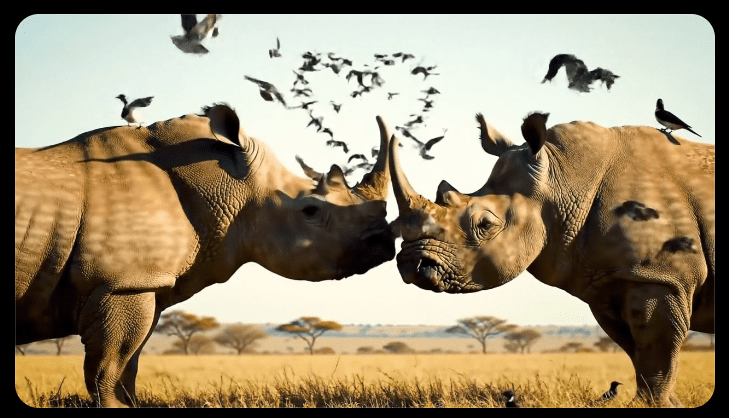
- “Give the scene golden hour lighting and make the grass look photorealistic.”
Veo doesn’t guess; it follows those detailed instructions perfectly, making your video look professional and dramatic, just like something you’d see in a movie theater.
2. Veo Keeps the Story Straight:
This is the biggest trick! Before Veo, if you asked an AI to make three scenes about the same character, the character might change clothes or even look different in every shot.
Veo is smart enough to remember:
- The Character: If your prompt is “a cheerful astronaut named Alex,” Alex will look the same—same helmet, same smile—in every video clip you make for that story.
- The Setting: If your scene is a blue mountain range, Veo makes sure the mountains in the clip you make today match the mountains in the clip you make tomorrow.
Veo makes sure your story sticks together, so your audience never gets confused.
Part 2: Flow – Your All-in-One Editing Studio
So, you have these incredible video clips from Veo. Now what? You can’t just send one 8-second clip! You need to put them together, move the camera, and fix little mistakes. That’s where Flow comes in.
Flow is like having the world’s easiest-to-use editing software, where all the editing buttons are magic words.
1. SceneBuilder: Making Long Stories Easy:
Let’s say you made four short clips: one of a robot running, one of it opening a door, one of it walking down a hall, and one of it finding a treasure chest.
- In Flow, you don’t have to spend hours cutting and pasting. You just tell the SceneBuilder to link those four clips.
- Flow smooths out the transitions and makes sure the robot keeps walking right from one clip to the next, turning four small moments into one long, continuous story.
2. Fix It with Your Finger:
Imagine you generated a perfect video of a pirate ship, but there’s a modern beach umbrella in the shot by accident.
- In Flow, you can click on the umbrella and just type: “Remove that umbrella and replace it with a treasure map.”
- Flow takes the umbrella out and magically paints a treasure map onto the clip, all without you having to start over! You can even draw on the screen to tell Flow exactly where you want an object to go.
3. Direct the Camera, After Filming:
This is wild! You generated a clip of a dog looking at a squirrel, but the camera is static (it doesn’t move). You realize it would look much cooler if the camera was spinning around the dog.
- In Flow, you can click the clip and tell it: “Reshoot this scene using a slow, circling camera motion.”
- Flow changes the virtual camera angle and motion, giving you a brand new, dramatic clip, even though the dog and the squirrel haven’t moved!
Why This Matters To You
Flow and Veo together mean you don’t need a huge budget, years of training, or a team of experts.
You are now the Director, the Editor, and the entire Crew.
If you can describe a scene—the action, the colors, the emotion, and the camera angle—you can make a professional-quality video ready for YouTube, TikTok, or your school project in minutes instead of months.
Your only limit is your imagination. What amazing story are you going to film first?