Artificial Intelligence has become the foundation of modern digital innovation, and Google is leading this movement with one of its most important tools: Google AI Studio. Launched as an advanced platform for creating, testing, and deploying AI models, Google AI Studio gives developers, creators, businesses, and everyday users a clean and powerful workspace to build AI-infused applications — without needing deep machine-learning expertise.
In 2025, the platform has evolved significantly. With tighter integrations across Gemini models, simplified workflows, and enterprise-ready features, Google AI Studio is now one of the most accessible yet technically advanced AI development platforms available.
This detailed guide breaks down what Google AI Studio is, its core features, how it works, and why it’s becoming a must-use platform for anyone working with AI.
What Is Google AI Studio?
Google AI Studio is a web-based environment designed to help users build, test, optimize, and deploy AI applications using Google’s most advanced models, including Gemini Pro, Gemini Ultra, and image models like Nano Banana Pro. It allows users to interact with these AI models in an organized interface, experiment with prompts, integrate APIs, and fine-tune outputs.
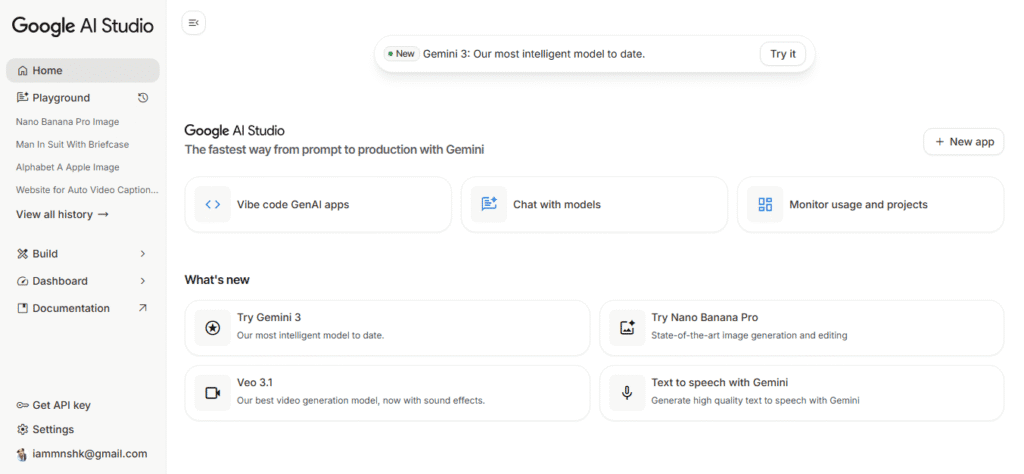
Google AI Studio is Google’s all-in-one development platform designed to help anyone create, test, refine, and deploy AI-powered applications using the latest Gemini models. Think of it as a digital laboratory where developers, creators, businesses, and even beginners can experiment with AI in a clean, safe, and well-organized workspace. Unlike traditional machine-learning platforms that require deep coding knowledge, Google AI Studio offers a user-friendly interface with drag-and-drop features, prompt editors, visual tools, and instant previews. This makes it easy for non-technical users to explore AI capabilities without relying on complex frameworks.
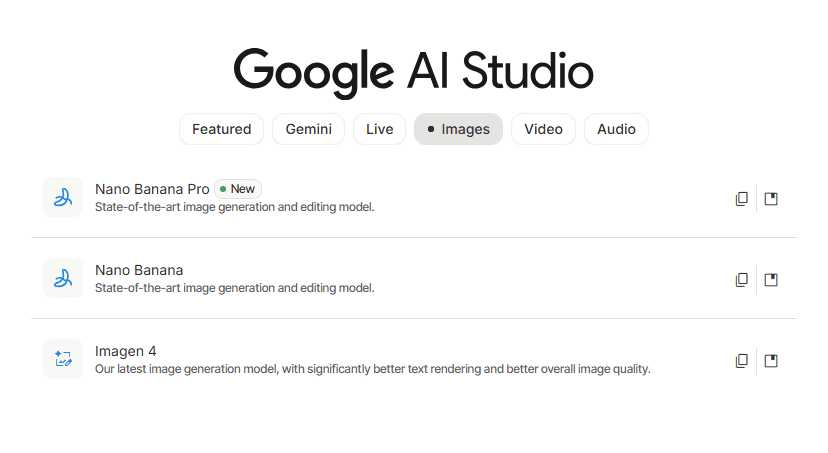
The platform connects directly to Google’s most advanced models—Gemini 3 Pro, Gemini Ultra, and image models like Nano Banana Pro—giving users access to state-of-the-art text, image, and multi-modal abilities. Whether you’re building a chatbot, analyzing documents, designing a creative assistant, or generating high-quality images, AI Studio serves as a central hub for your workflows.
What makes it special is how organized the environment is. Each project can be saved, shared, versioned, and integrated into real-world apps through built-in APIs. This combination of simplicity + power is why Google AI Studio has become one of the most important AI development tools of 2025.
In simple terms:
Google AI Studio = AI playground + development toolkit + API integration hub.
Unlike traditional machine learning platforms that require coding expertise, AI Studio is built for everyone — from beginners exploring AI for the first time to advanced developers deploying commercial applications.
Why Google AI Studio Matters in 2025-2026
The platform has grown rapidly for three major reasons:
1. Centralized Access to All Gemini Models
Instead of jumping between tools, Google AI Studio brings all the AI capabilities—text, images, video, coding, and embeddings—into one workspace.
2. No Complex Setup Required
You don’t need to install anything. Everything runs in the browser, making AI development easier and faster.
3. Production-Ready Tools
AI Studio is designed not only for experimenting but also for deploying real applications using stable and scalable APIs.
This simplifies development drastically and reduces the time from idea → prototype → live application.
Key Features of Google AI Studio (Fully Explained)
Let’s dive into each feature in detail so readers can understand exactly what makes this platform special.
Unified Workspace for All AI Models
One of Google AI Studio’s biggest strengths is its unified workspace, which brings all major AI capabilities into a single platform. Instead of switching between multiple tools to handle text generation, image creation, code writing, embeddings, or multi-modal tasks, users can perform everything inside one interface. This dramatically speeds up workflow and removes the frustration of juggling different apps or APIs.
The unified workspace is built around the idea of flexibility. You can start with a text-based prompt, switch to image generation, upload documents for analysis, or bring in audio inputs—all within the same project environment. This seamless blending of AI tasks allows creators to move faster and explore more ideas without interruption.
For example, imagine building a smart assistant. You can use one panel to test conversation prompts, another to create visuals for the UI, another to process uploaded documents, and another to generate code. Everything is interconnected. This cross-functionality is incredibly useful for teams working on fast-moving projects, as it keeps all data, tests, and outputs organized and accessible in one place.
In 2025, workflows are more demanding than ever. Google AI Studio solves this by merging all Gemini abilities into a single, intuitive system.
Prompt Testing and Optimization
Prompt engineering is at the heart of modern AI, and Google AI Studio offers one of the most polished prompt testing systems available today. The platform gives users a dedicated prompt editor with controls that allow fine adjustments to tone, creativity, structure, and output length. You can test how different prompts perform, save versions, compare them side-by-side, and tweak parameters like temperature, max tokens, and safety settings.
New users can experiment in real-time, learning how slight wording changes affect the model’s behavior. Advanced users, like developers and agencies, can use AI Studio to refine system-level prompts that control personality, rules, and formatting inside apps or chatbots. The ability to save and reuse prompts makes automation and scaling easier.
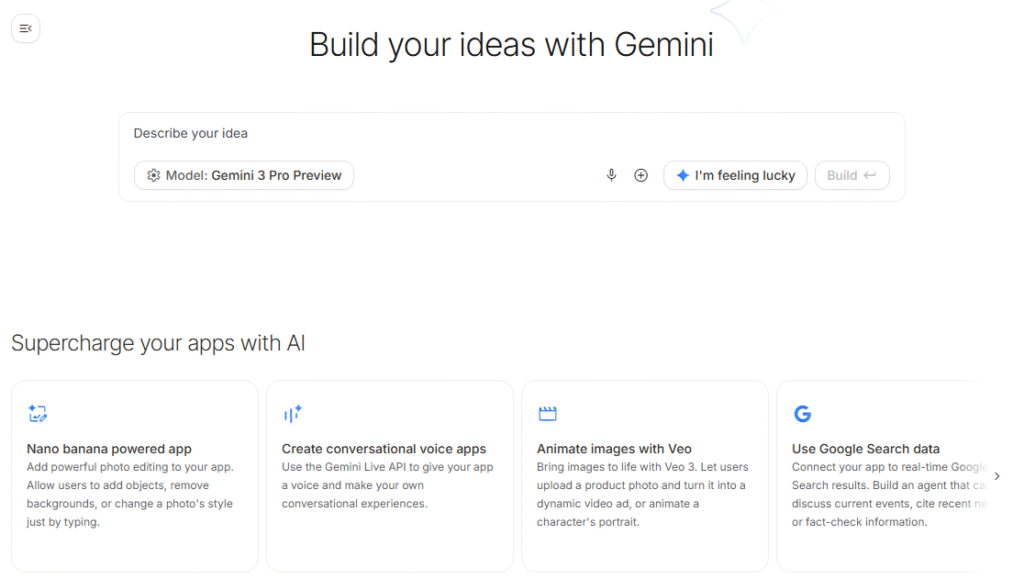
The prompt optimization tools also highlight inputs and outputs, showing where the model may struggle or misinterpret, helping you improve accuracy. The platform even includes built-in suggestions for improving clarity, removing biases, or enhancing consistency.
This feature is invaluable for bloggers, marketers, educators, startups, and anyone building AI-driven products. Instead of guessing how your AI model will respond, AI Studio lets you test, tweak, and finalize prompts before pushing them into production. This ensures reliable, high-quality results.
Smooth API Integration
Google AI Studio makes API integration incredibly simple—even for beginners. Once you finalize a prompt or workflow inside the platform, you can instantly convert it into production-ready code with one click. The platform automatically generates API snippets in languages like Python, JavaScript, Node.js, cURL, and Go, allowing you to plug AI capabilities directly into websites, apps, SaaS tools, or internal systems.
What makes this powerful is the consistency. Whatever you test inside AI Studio will behave exactly the same when used through the API. This eliminates unpredictable behavior, reduces debugging time, and ensures reliable performance across environments.
For developers building chatbots, automations, content generation tools, customer-service bots, or AI feature upgrades, the workflow becomes incredibly fast. You design → test → refine → deploy, all without needing to write prompt code manually.
API dashboards inside AI Studio also offer analytics, usage tracking, safety settings, and model configuration control. This gives developers full visibility into how the model is performing across users and requests.
Even non-technical founders can use AI Studio to build prototypes or MVPs without hiring a full engineering team—making it a perfect launchpad for startups in 2025.
Safety Tools and Trust Controls
AI safety has become a top priority across the tech world, and Google AI Studio includes some of the strongest trust-and-safety controls of any platform. Every model request—whether text, image, or multi-modal—is automatically filtered through Google’s guardrails, which analyze harmful content, hate speech, toxic behavior, privacy risks, misinformation, and unsafe outputs.
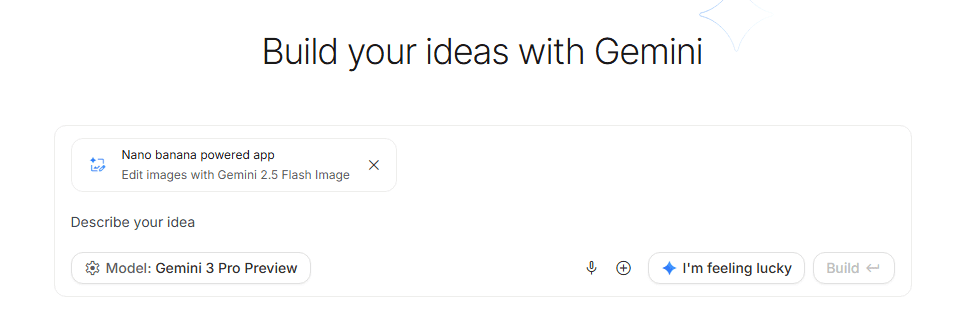
Users can customize these filters depending on the project. For example, a school creating an education assistant would use stricter safety settings compared to a research lab exploring sensitive topics. AI Studio also offers bias detection tools that monitor model outputs for unfair or skewed results. This is especially important for businesses, journalists, and developers who need accuracy and neutrality.
In addition to safety, Google includes data isolation controls, ensuring that private data is never used to retrain public models. This is essential for companies handling sensitive information.
These safety systems make Google AI Studio a trustworthy environment for enterprise applications, government use, healthcare tools, educational apps, and public-facing software. By prioritizing transparency, Google ensures that AI Studio remains reliable, compliant, and suited for professional use.
Deep Integration With Google Workspace
One of the most powerful advantages of Google AI Studio is its seamless integration with Google Workspace. In 2025, productivity is about working smarter, not harder — and Google has built AI Studio to connect effortlessly with daily tools like Docs, Slides, Sheets, Vids, and Gmail. This allows users to take AI-generated ideas, images, and documents and move them directly into their workflow without copying files or switching tabs.
For example, content creators can use AI Studio to craft polished text, outlines, or research notes, then send them directly to Google Docs to finish editing. Designers and presenters can generate images or diagrams inside AI Studio and push them into Google Slides with a single click. Teachers can create study guides or visual explanations and instantly transfer them to Classroom or Drive. Marketers can produce email templates or automated replies and send them into Gmail drafts within seconds.
This tight integration makes AI Studio more than a standalone tool — it becomes an extension of the entire Google ecosystem. Everything stays synced, cloud-backed, and accessible from any device. The result is a smooth, connected, highly productive experience that makes complex AI tasks feel natural within the daily workflow of millions of users.
Multi-Modal AI Capabilities
Google AI Studio is designed for the next era of AI — one where models no longer work with just text, but combine text, image, audio, documents, and data into a single intelligent system. With Gemini’s multimodal power, users can upload a picture, add text instructions, analyze a PDF, describe a scene verbally, or even mix all these inputs together. This allows AI Studio to understand information more like a human brain: in context, across multiple formats, and with intuitive reasoning.
For example, you can upload a screenshot of a chart, ask the AI to explain the data, and then request a rewritten version for a presentation. Or upload an image and ask AI Studio to generate a matching caption, create similar visuals, or edit the content. Developers can feed a dataset or multiple documents, and the model can summarize, extract, or refine information instantly.
This multimodal approach makes AI Studio perfect for creators, educators, researchers, and businesses that work with mixed media. Instead of using multiple tools for analysis, editing, and generation, AI Studio lets you do everything under one roof — combining creativity, logic, and visual intelligence into one powerful system.
Collaboration Tools for Teams
Whether it’s a marketing team generating ad concepts, a product team building AI-driven features, or a classroom experimenting with creative tools, AI Studio makes it easy for everyone to stay aligned. You can assign roles, manage permissions, and keep track of changes made by different users. Each project can be saved, duplicated, or exported, ensuring that no work is lost and all progress is tracked.
Collaboration becomes especially powerful with prompt libraries — collections of reusable prompts that teams can store and access. This ensures consistent tone, style, and output quality across large organizations. For companies that need brand consistency, this is a huge advantage.
Cloud Performance & Scalability
Behind the scenes, Google AI Studio runs on Google Cloud, one of the most reliable and high-speed infrastructures in the world. This makes performance incredibly fast and stable, even when handling large workloads or heavy multi-modal tasks. Whether you’re generating thousands of words, analyzing long documents, or creating high-resolution images, the system delivers quick responses with minimal latency.
For developers and enterprises, scalability is essential — and AI Studio is built to handle everything from small prototypes to large-scale deployments. APIs scale automatically to support traffic spikes, meaning apps can serve millions of users without performance drops. Google’s global server network ensures fast response times across countries, which is crucial for international businesses.
Another advantage is reliability. Google Cloud includes automatic failovers, backup systems, and security layers that protect data and maintain uptime. This makes AI Studio suitable for professional use cases like healthcare software, financial analysis tools, government applications, or large corporate systems.
The combination of speed, reliability, and scale makes AI Studio one of the best AI development platforms for serious builders who need consistent performance — not just experimentation.
How Google AI Studio Works
Getting started with Google AI Studio is incredibly simple, even if you’ve never built an AI application before. The process usually begins by logging in with your Google account — no installation required. Once inside, you choose the model you want to work with, such as Gemini Pro for text or Nano Banana Pro for image generation. The platform gives you a clean workspace to write prompts, upload inputs, and interact with the AI.
Next, you refine your instructions. You can modify temperature settings (creativity), token limits (length), safety filters, and output style to match your project. With each adjustment, you can instantly preview how the model responds. When you’re satisfied, you can save the prompt or turn it into a structured “task” or “app workflow.”
Developers can then generate API code with one click. AI Studio converts your refined prompt and settings into a ready-to-use API snippet. You can copy it into a website, app, backend system, or automation tool.
For non-coders, AI Studio serves as a creative sandbox. You can explore ideas, test outputs, generate content, and build AI-powered solutions without writing a single line of code.
Google AI Studio represents far more than another AI tool — it’s a complete ecosystem built for the way we create, work, and innovate in 2025. With its powerful Gemini models, seamless Workspace integration, advanced prompt controls, and developer-ready APIs, the platform brings world-class AI capabilities directly into everyone’s hands.